iOS
Attach conciv to a native iOS app running in the simulator.
Early alpha. The iOS SDK is on the 0.0.x line, so the bridge protocol and public API can change without notice. The
iOS simulator is the only supported target today. Match the SwiftPM version to the @conciv/* npm version you run.
conciv drives a native iOS app the same way it drives a web app: a transparent overlay and launcher sit above your own UI, and the agent reads and acts through them. The Swift SDK loads the widget from your dev core, so the native side stays thin and everything routes through the same engine.
Add the package
Add the SwiftPM mirror to your app. In Package.swift:
dependencies: [
  .package(url: "https://github.com/conciv-dev/conciv-swift.git", from: "0.0.1"),
],
Then add the product to the target that shows your UI:
.product(name: "ConcivWidget", package: "conciv-swift"),In an Xcode project, use File > Add Package Dependencies and paste the same URL.
Attach
Call ConcivWidget.attach() once, from your scene delegate or your SwiftUI App init. It finds the
key window itself, reads the core endpoint from the CONCIV_URL environment variable, and falls back
to auto-discovery when the variable is unset. That one line is the whole integration.
import ConcivWidget

// inside scene(_:willConnectTo:options:)
ConcivWidget.attach()import ConcivWidget
@main
struct MyApp: App {
init() {
ConcivWidget.attach()
}
// ...
}Then run your dev server (a vite host with the conciv plugin) and launch the app in the simulator. The transparent overlay and launcher appear over your own UI.
By default the launcher is the animated mascot the screenshots below show (launcher: .mascot). Pass
.native for a dark round AI button in the bottom-right corner instead:
ConcivWidget.attach(launcher: .native)No Info.plist changes. The app reaches the dev core over http://127.0.0.1, and App Transport Security does not
apply to the loopback address, so plain HTTP works with no NSAppTransportSecurity keys. The local-network privacy
prompt skips loopback too, so no usage string either. Point an app at a Mac by LAN address instead (a physical device
over Wi-Fi, which conciv does not support yet) and the two keys answer different questions:
NSLocalNetworkUsageDescription is the purpose string iOS shows before letting the app reach other devices on the
network, whatever the protocol, and NSAllowsLocalNetworking is the ATS exception that permits plain HTTP to those
hosts. That setup needs the usage string, and the ATS exception on top only while the URL stays http://.
attach() compiles to a no-op in a Release build: no overlay, no WebView, no dev-core URL. Nothing conciv ships to
TestFlight or the App Store, so a Release build shows nothing. Run a Debug build to see the widget.
Let the agent build and run the app
Everything above is all you need to see the widget. Optionally, give the agent the ios extension so
it can build, launch, and screenshot the app for you (via the ios_build and ios_run tools) instead
of you rebuilding by hand.
How the app finds the core
attach() needs the core's API base, the origin with no /native suffix (for example
http://127.0.0.1:4599). The SDK appends /native itself. It resolves the base in this order:
CONCIV_URLif set.ios_runinjects it for you asSIMCTL_CHILD_CONCIV_URL, which the app reads asCONCIV_URL; to launch by hand passSIMCTL_CHILD_CONCIV_URL=http://127.0.0.1:4599 xcrun simctl launch booted dev.conciv.YourApp.- Otherwise the pairing file at
~/.conciv/dev-endpoint.json. A dev core that serves the native page writes it on startup and deletes it on shutdown, and the simulator reads the host home directory, so this is the zero-config path. - Whenever that file is missing, unreadable, malformed, or its
apiBasefailsGET /health, the SDK probeshttp://127.0.0.1on ports 4599, 8787, and 3000 and takes the first one that answers as a conciv core. That covers a stale file from a crashed core as well as no file at all, and a core on any other port is still found through the pairing file, so the probe is the recovery path rather than the usual one.
If discovery finds nothing, check that the dev server is still running, then that it is not running
under a test environment. With VITEST set, the core writes the pairing file to a
temporary directory instead of ~/.conciv. The SDK only ever reads ~/.conciv/dev-endpoint.json, so
the app cannot see that core; it drops to the port probe, and if a different dev core left a healthy
~/.conciv/dev-endpoint.json behind, the app pairs with that one instead. Set CONCIV_URL when you
need to be sure which core the app talks to.
What it looks like
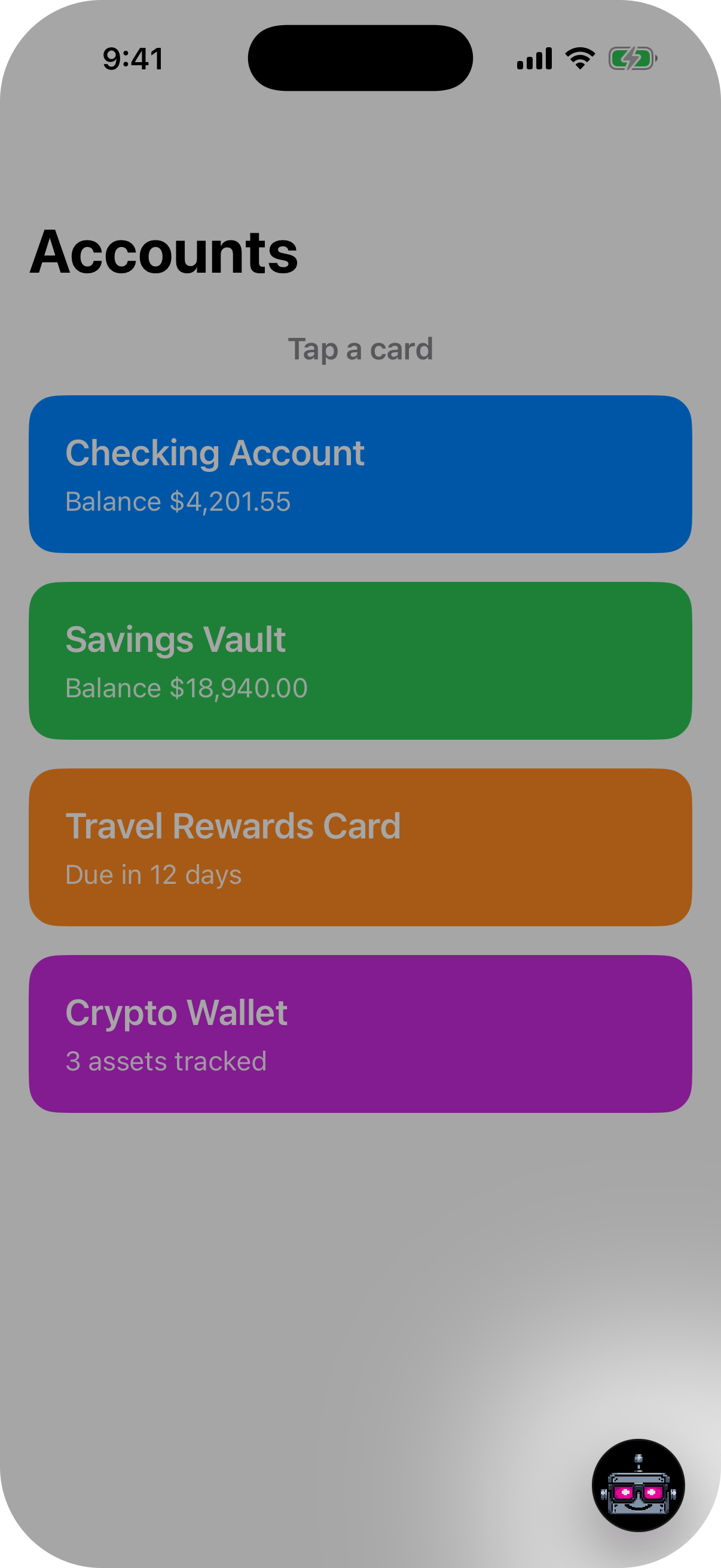
The default mascot launcher, from attach()
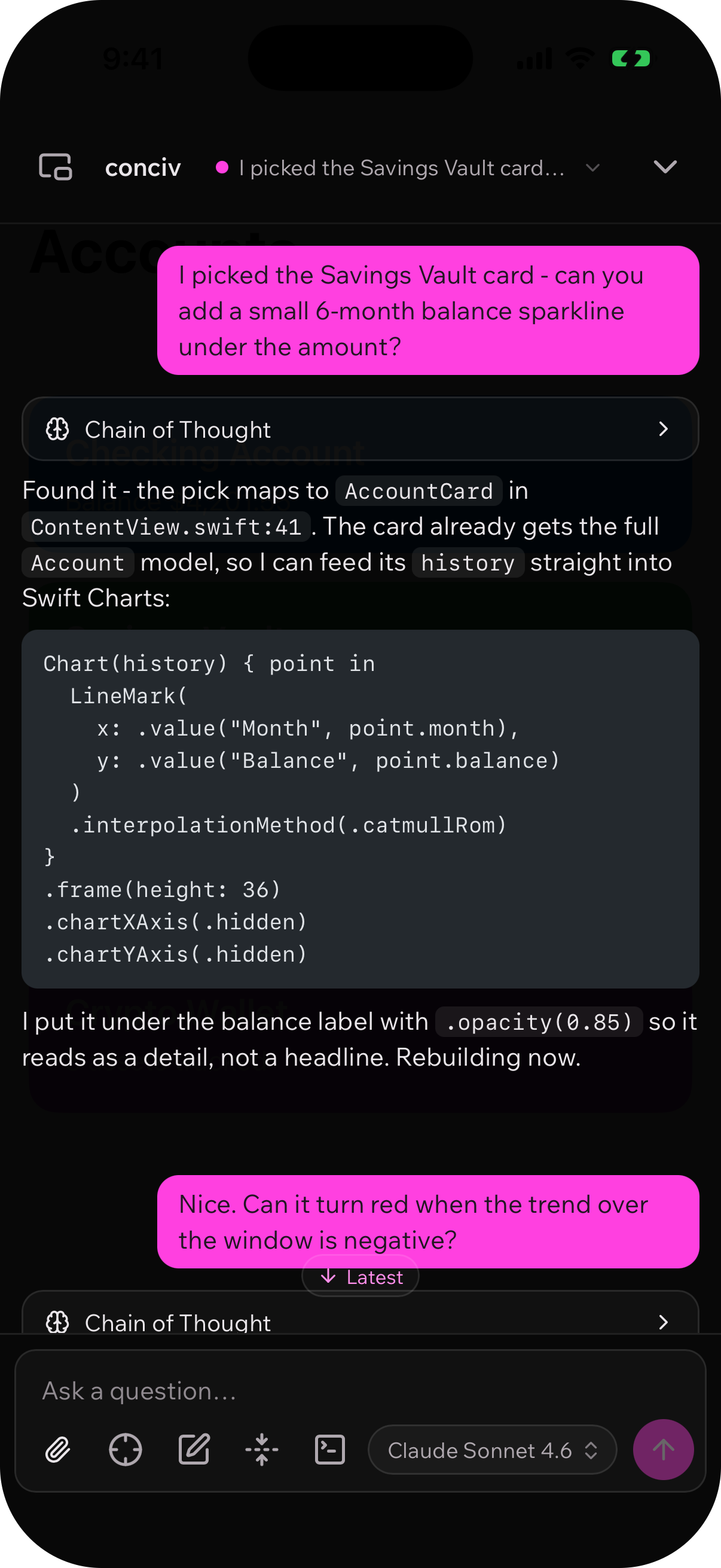
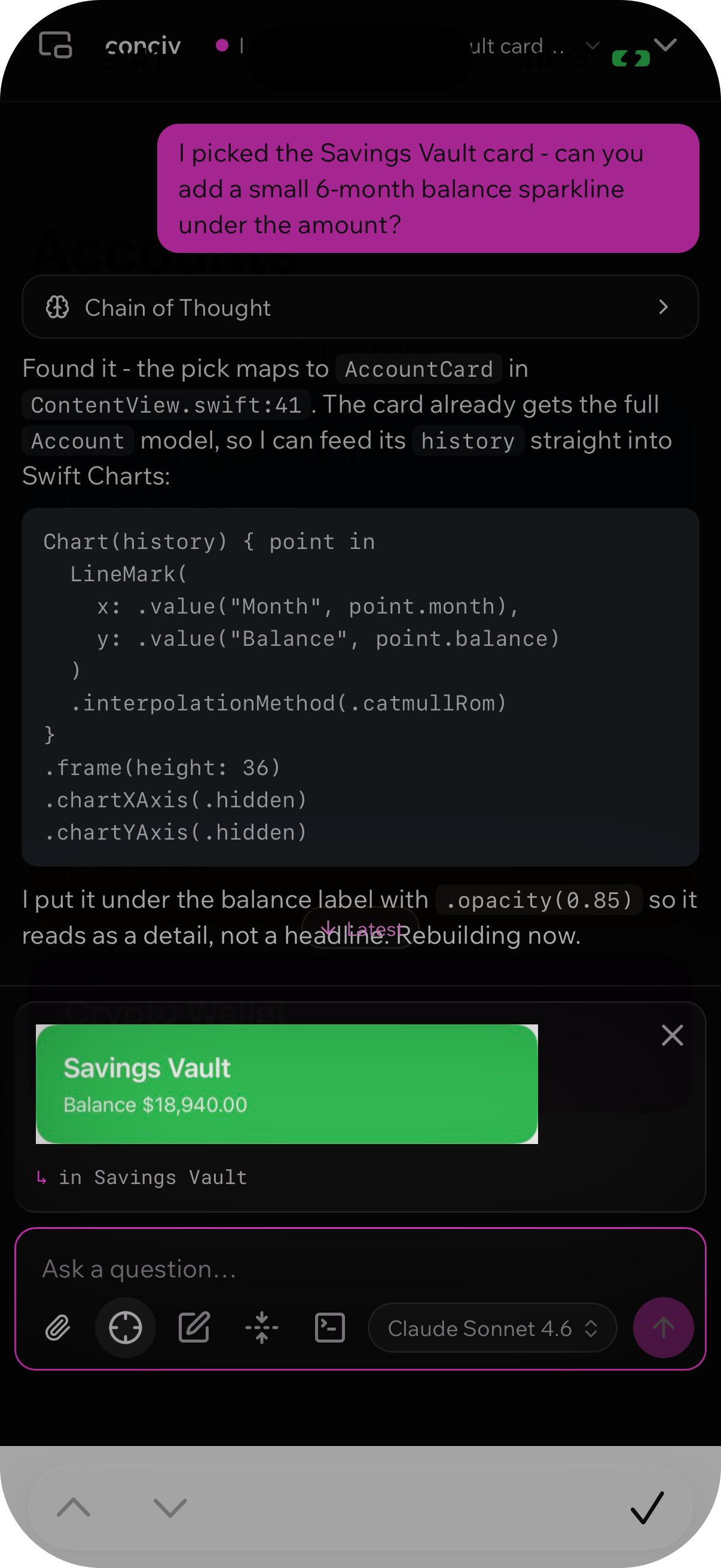
Pick hands a native view to the agent
Next
The agent works the native app the same way it works a web page: grab a view, ask about it, and let it
find and edit the Swift. See Usage for what the agent can do, and
@conciv/extension-ios for
the transport tiers, pairing, and re-pair behavior behind the native path.