Your first extension
Build a deploy tool end to end, with a card in the thread.
You will give the agent a deploy_run tool: typed input, a node-side action, and a result card
rendered in the chat. One file, about thirty lines.
Create the file
Extensions live in conciv/extensions/ at your project root. Create it if it does not exist.
mkdir -p conciv/extensionsDefine the tool
defineTool declares what the agent sees: a name, a description it uses to decide when to call
the tool, and a zod schema for the input.
import {z} from 'zod'
import {defineExtension, defineTool} from '@conciv/extension'

const deployRun = defineTool({
  name: 'deploy_run',
  description: 'Deploy the current branch to an environment.',
  inputSchema: z.object({env: z.enum(['staging', 'prod'])}),
})
Add the server action
.server(...) is the part that runs in node. The input arrives already parsed and typed from your
schema. Whatever you return becomes the tool result the agent reads.
const deployRun = defineTool({
  name: 'deploy_run',
  description: 'Deploy the current branch to an environment.',
  inputSchema: z.object({env: z.enum(['staging', 'prod'])}),
}).server(async ({env}) => {
  const url = `https://${env}.example.com`
  return {env, url}
})
Real code would shell out to your deploy script here. Keep the return value small and structured; it is what the agent reasons about and what your card renders.
Render a card
.render(...) replaces the generic result card with your own. Renderers are Solid components
(even inside a React app; the plugin compiles extension files as a Solid zone) and receive the
tool call part and its result.
const deployRun = defineTool({
  name: 'deploy_run',
  description: 'Deploy the current branch to an environment.',
  inputSchema: z.object({env: z.enum(['staging', 'prod'])}),
})
  .server(async ({env}) => {
    const url = `https://${env}.example.com`
    return {env, url}
  })
  .render((props) => {
    const output = () => (typeof props.result?.content === 'string' ? props.result.content : undefined)
    return <div>{output() ?? 'deploying…'}</div>
  })
Export the extension
export default defineExtension({name: 'deploy', tools: [deployRun]})Run it
Restart your dev server (server-side tool code loads at boot), open the chat, and ask:
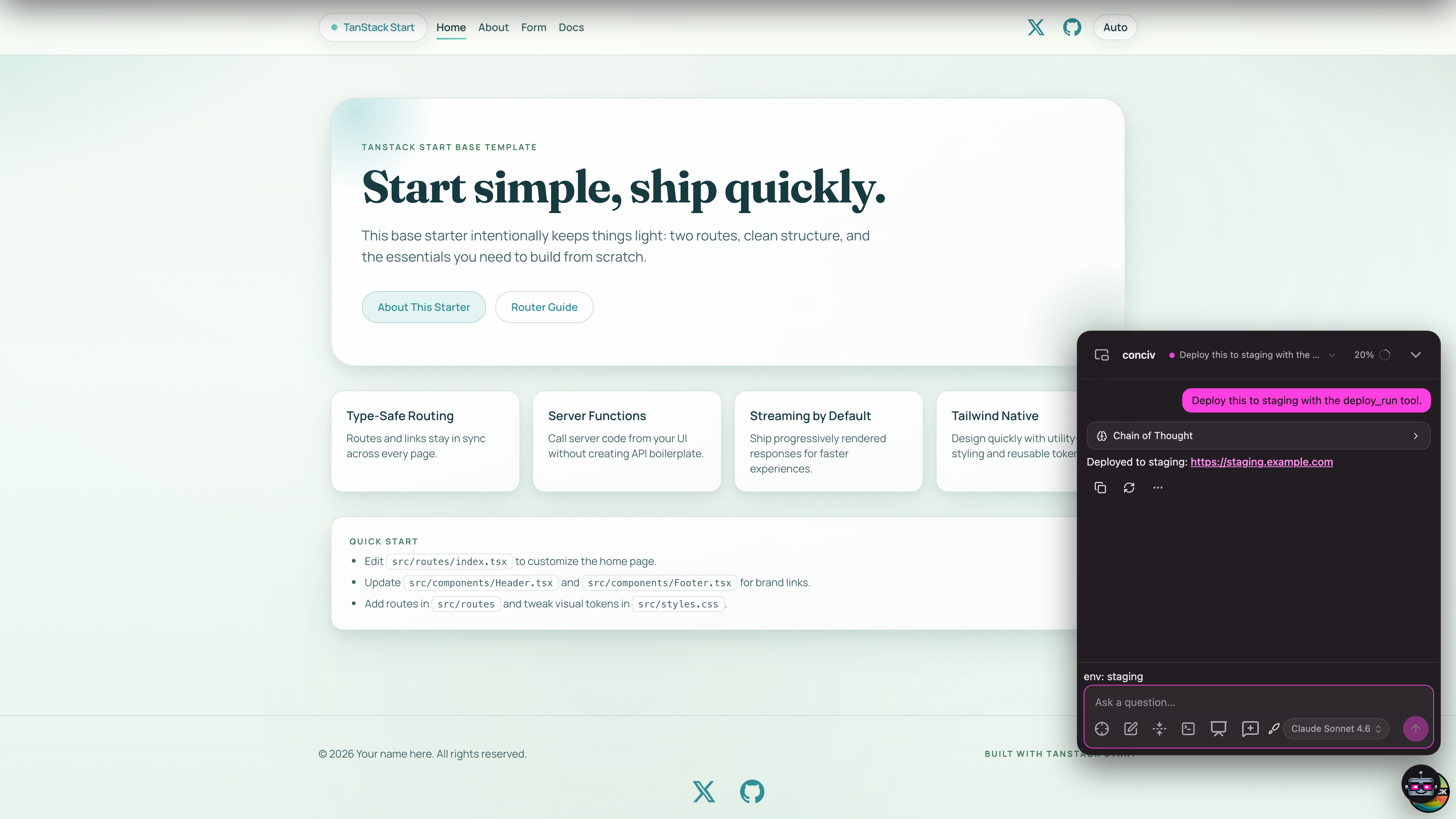
deploy this to stagingThe agent calls deploy_run with {env: 'staging'}, your server code runs, and your card renders
in the thread with the result.