Whiteboard
A shared Excalidraw canvas over your app. You sketch, the AI draws back.
The whiteboard is a shared Excalidraw canvas that opens over your dev app. You and the agent draw on the same surface: sketch a rough layout and ask the agent to build it, or ask it to diagram the thing you are both looking at.
Open it from the whiteboard button in the composer. It is a built-in extension, on by default.
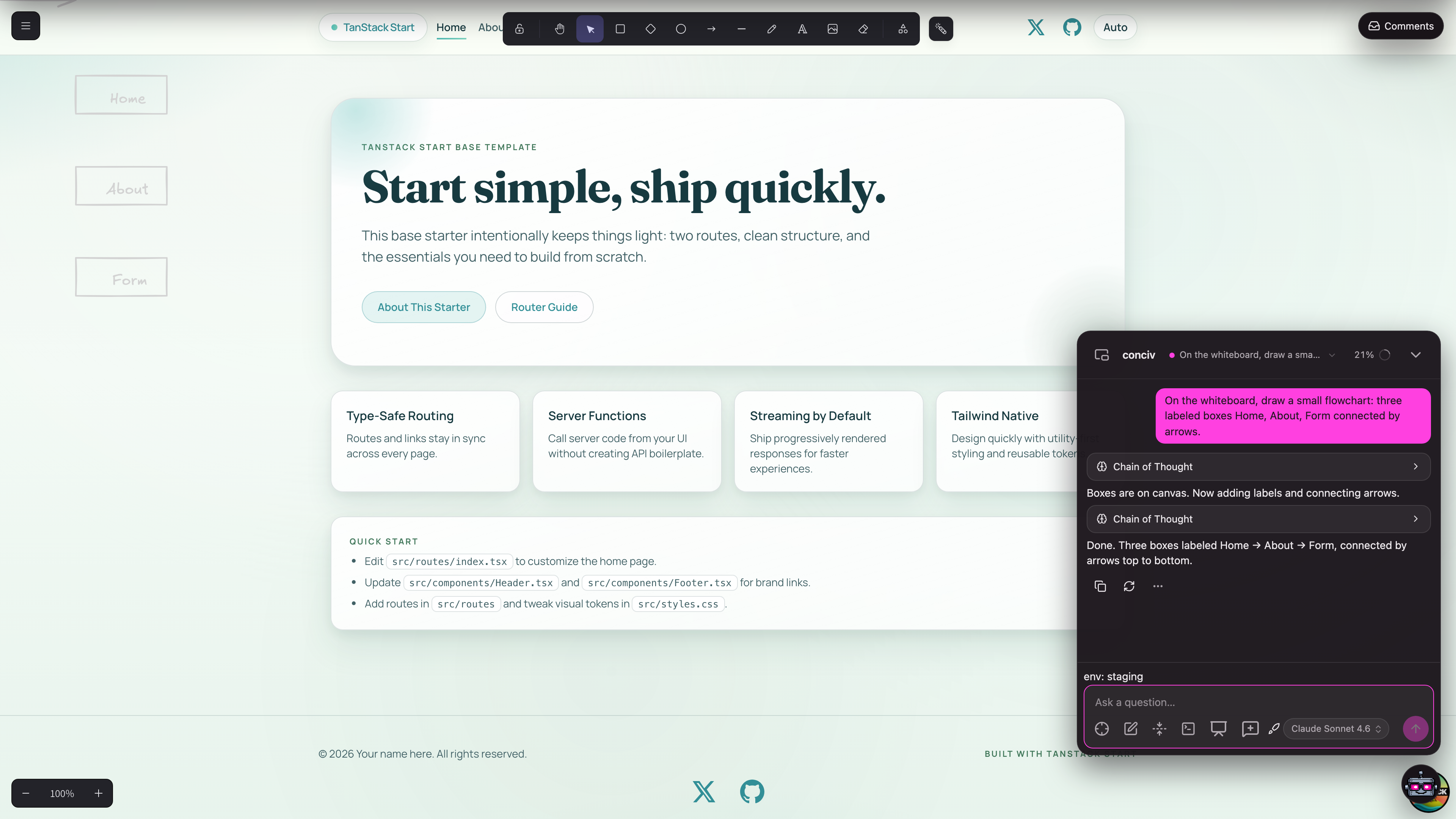
The AI draws real elements
When the agent draws, it writes real, editable Excalidraw elements onto the canvas, not an image. You can move, restyle, and delete anything it produced. Ask for a diagram and it can also convert mermaid into native shapes.
you: sketch the auth flow we just discussed as a flowchartThe agent draws the flowchart on the shared canvas; you drag boxes around and it keeps working with your edits.
Source-anchored comments
Comments and pins attach to your source, not just to canvas coordinates. The agent can leave a comment anchored to the component it is talking about, resolve threads when they are addressed, and pick up threads you started.
Destructive actions ask first: clearing the canvas or deleting comments surfaces a confirm before anything is lost.
Local by design
The canvas syncs through a self-hosted CRDT server that the plugin runs for you (state lives under
.conciv/ in your project). Nothing leaves your machine, and every chat session gets its own
room.
The whiteboard is also the biggest worked example of the extension contract. See Built-ins for how it is put together.