Quick Terminal
Drop the agent down from the top of the page on a hotkey, like a quick terminal.
The quick terminal is a full-width sheet that drops from the top edge of the page on a hotkey, like the iTerm2 or Ghostty quick terminal. It drops over your app without dimming it, and you can split it into multiple panes that each run their own agent session.
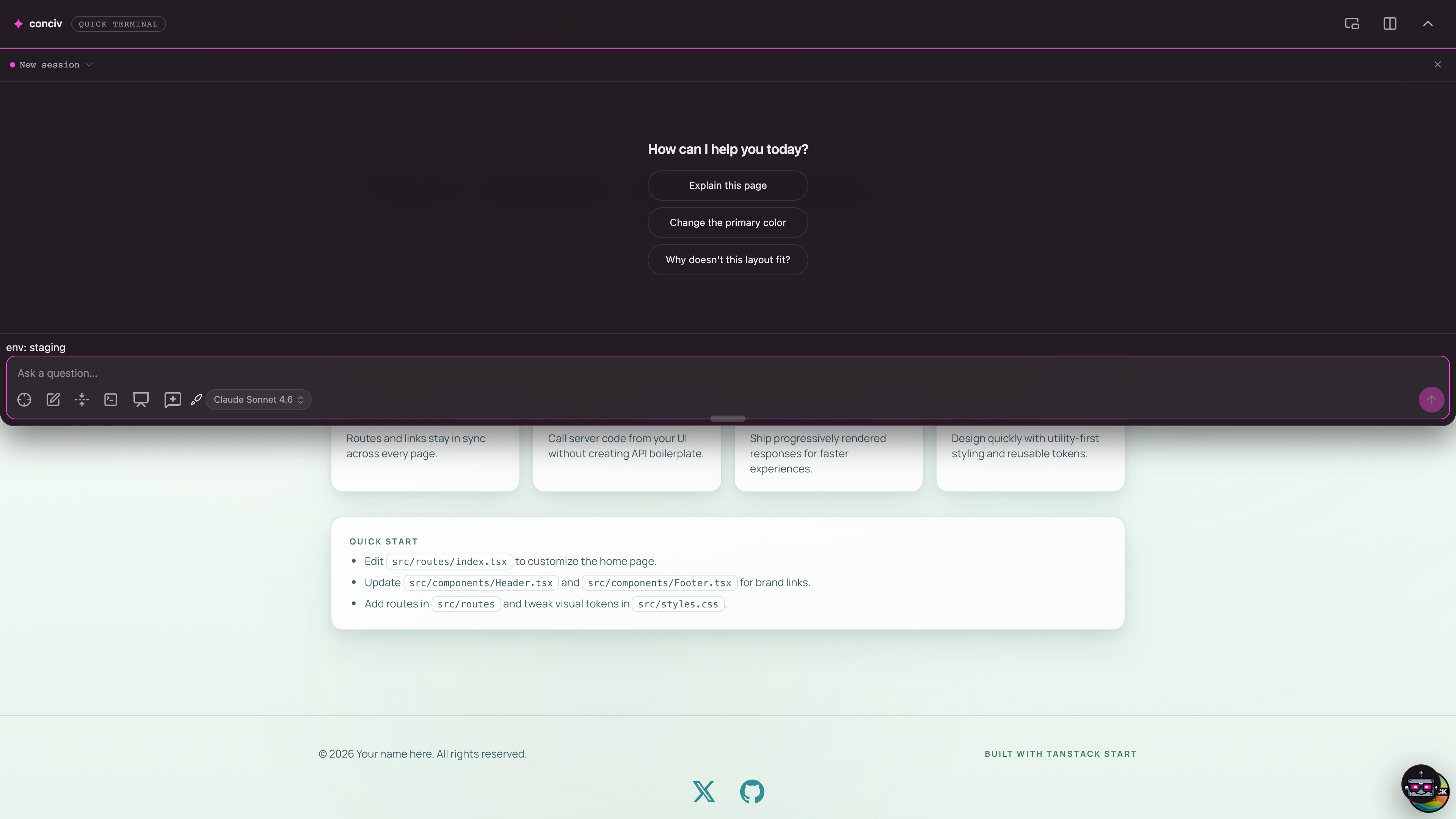
It is on by default, alongside the corner modal. Press the hotkey to drop it in, press it again or
hit Escape to send it back up.
Enable it
Both layouts are on by default, so there is nothing to enable. To set the hotkey, pass an object:
import conciv from '@conciv/it/plugin/vite'

conciv({widget: {quickTerminal: {hotkey: 'Mod+`'}}})
Mod is Cmd on macOS and Ctrl on Windows or Linux, so one binding works everywhere. To disable
the quick terminal and keep only the corner modal:
conciv({widget: {quickTerminal: false}})Hotkeys
The hotkey field accepts a single binding or a list, and supports key combinations.
conciv({widget: {quickTerminal: {hotkey: 'Mod+`'}}}) // one binding
conciv({widget: {quickTerminal: {hotkey: ['Mod+`', 'Control+k']}}}) // either fires
conciv({widget: {quickTerminal: {hotkey: 'Alt+k'}}}) // a combo
On macOS, Option (Alt) plus a letter often produces a special character, so a binding like Alt+k may not fire.
Prefer Mod+`` or a Control+` combo if a hotkey seems dead.
Split into panes
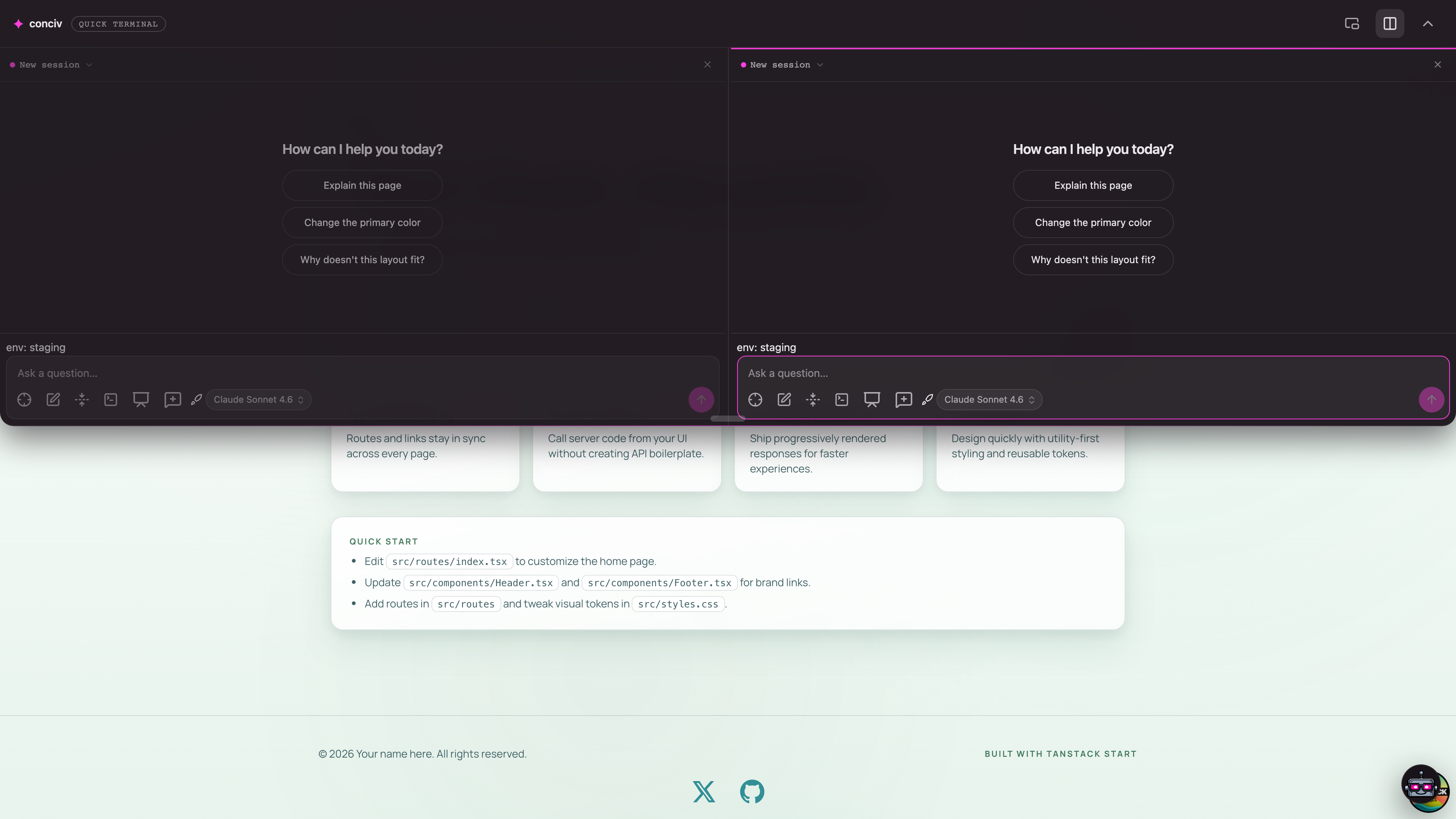
Split the terminal with the split button in the header or Mod+D. Each pane is an independent
agent session with its own thread and composer, so you can run two tasks side by side. Drag the
gutter between panes to resize them. Closing a pane lets the others grow back to fill the space,
and closing the last pane closes the terminal.
Resize and pop out
Drag the grip on the bottom edge to set the height. It is remembered for next time. The pop-out button in the header moves the terminal into its own window (Picture-in-Picture), and closing that window docks it back into the page.
Both layouts
The quick terminal and the corner modal can both be on at once. Only one shows
at a time, so opening the quick terminal closes the modal and vice versa. Set either to false to
turn it off. See Configuration for the full widget options.