Outside agent
Let the agent in your own terminal read and drive the browser tab you have open.
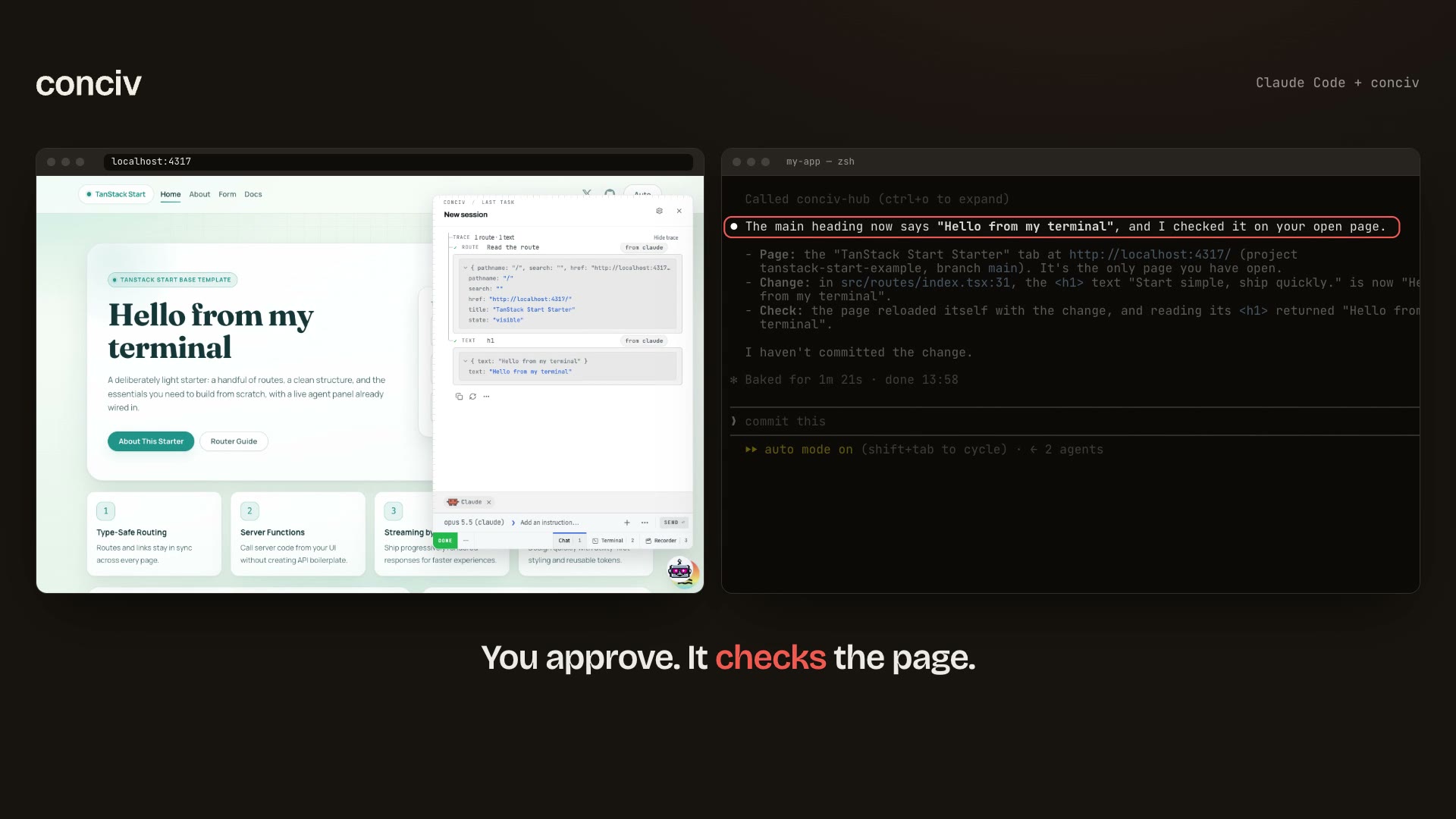
An outside agent is an agent CLI you run in your own terminal: Claude Code, Codex, Gemini CLI or opencode. Connect it
to conciv and it can read and drive the tab you have open, through conciv's conciv-hub MCP server. You keep typing
in your terminal. The page changes in your browser.
Set it up
Run your app and open it
Start your dev server and open your app in the browser:
pnpm devLog the browser in with the code your dev server prints. Learn how in Logging in.
Open the conciv panel once
Click the conciv button and let the panel open. Your tab joins a chat session the moment the panel opens. Before that, no agent can see it.
Connect your agent
Run this once, in any folder:
npx @conciv/cli mcp connect claudenpx @conciv/cli mcp connect codexnpx @conciv/cli mcp connect gemini-clinpx @conciv/cli mcp connect opencodeIt adds conciv-hub to that agent's own MCP config. On success it prints:
{"ok":true,"data":{"connected":"claude"}}Check that the agent can see your tab
Run this from your project folder:
npx @conciv/cli tools tabsYour tab is listed, with the page it shows. This output leaves out the project's folder, branch and last-active time:
{
  "ok": true,
  "data": {
    "tabs": [
      {
        "tab": "ses_dde3add2effeorQX7E0tVdPN4s",
        "project": "tanstack-start-example",
        "href": "http://localhost:3462/",
        "pageTitle": "TanStack Start Starter",
        "state": "visible",
        "sessionTitle": "New session",
        "running": false,
        "harness": "claude",
        "browserTabs": [
          {
            "id": "tab_a1f66e90-cd99-46b1-a5af-a1b2fe44d54f",
            "href": "http://localhost:3462/",
            "pageTitle": "TanStack Start Starter",
            "state": "visible"
          }
        ]
      }
    ],
    "unreachable": []
  }
}
The agent sees the same list through its list_tabs tool.
Ask for a first change
Start your agent in your project folder and ask for something on the page:
In my open browser tab, change the main heading to say: Hello from the terminal.The agent calls list_tabs to find your tab, then runs page tools on it through execute_typescript. It edits the
source file with its own file tools, and the page updates on the hot reload. It answers in your terminal:
I changed the main heading on your About page
(src/routes/about.tsx:41) from "A small starter with room to grow."
to "Hello from the terminal", and checked the open tab at
localhost:3462/about, which now shows the new text.
In the tab, the heading changes. Each page call the agent made shows in the panel's chat as a card marked from claude, so you can see what it read and did.
Pick the tab
A call with no tab named goes to the tab you focused last. Two ids pick another one:
--tabtakes atabid fromtools tabs. That is a chat session, on whichever dev server holds it.--tab-idtakes a browser tab id inside that session. Every browser tab with the panel open joins the session.
List the browser tabs of a session, and the one you focused last:
npx @conciv/cli tools page tabs_list{
"ok": true,
"data": {
"tabs": [
{
"id": "tab_c75a6695-69ee-4969-9d82-3af3463c4346",
"url": "http://localhost:3462/about",
"title": "TanStack Start Starter",
"focused": true,
"visible": true
},
{
"id": "tab_a1f66e90-cd99-46b1-a5af-a1b2fe44d54f",
"url": "http://localhost:3462/",
"title": "TanStack Start Starter",
"focused": false,
"visible": true
}
],
"focusedTabId": "tab_c75a6695-69ee-4969-9d82-3af3463c4346"
}
}Then point a call at the tab you want:
npx @conciv/cli tools page route --tab-id tab_a1f66e90-cd99-46b1-a5af-a1b2fe44d54f{
"ok": true,
"data": {
"pathname": "/",
"search": "",
"href": "http://localhost:3462/",
"title": "TanStack Start Starter",
"state": "visible"
}
}Your agent passes the same ids. Name the page in your prompt, for example "on the About tab", and it picks the tab
from list_tabs.
Outside agent or panel chat
The outside agent and the chat in the panel drive the same page with the same tools. They differ in where you talk and who runs the agent.
| Outside agent | Panel chat | |
|---|---|---|
| Where you type | Your terminal | The panel in the tab |
| Who runs the agent | You, with your agent's own config | conciv, with the harness you pick |
| Its replies | In your terminal. The panel shows only its page calls. | In the panel |
| Edits files with | Its own tools and permission rules | The harness, with conciv's permission cards |
| Page tools | Only while a tab with the panel open exists | Always, on its own tab |
| Permission cards | It never answers one. You do, in the tab. | You answer them in the panel |
By default an outside agent can use any open tab with no card. To make it ask first, see Approvals.
Troubleshooting
Next steps
- Agents: what each agent CLI gets when it connects.
- Page control: everything the page tools can read and do.
- CLI: every
toolsandmcpcommand.